
Jawaban singkat: mouse yang tidak terdeteksi paling sering disebabkan oleh daya/baterai, port USB, receiver, pairing Bluetooth, kabel, driver, atau hardware di dalam mouse. Sebelum beli baru: ganti port, cek baterai, tes di komputer lain, coba mode kabel. Kalau mati total di semua perangkat, baru ke tempat service mouse.
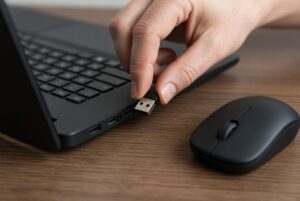
Gejala
- Colok USB, tidak ada bunyi perangkat baru
- Tidak muncul di Bluetooth
- Device Manager: tanda seru / Unknown device
- LED tidak menyala
- Sempat terdeteksi, lalu hilang
- Hanya hidup jika kabel digoyangkan
Ini bukan double click dan bukan scroll error. Komputer tidak melihat mouse.
Penyebab (paling sering dulu)
- Port USB atau dongle
- Baterai habis / charge tidak masuk
- Kabel internal putus di pangkal body
- Driver dan software merek
- PCB, socket, atau IC rusak
Atasi sendiri
- Ganti port, hindari hub murah
- Cas 30 menit atau ganti baterai
- Pair ulang dongle/Bluetooth
- Tes di laptop kedua
- Uninstall device di Device Manager, colok ulang
- Hybrid: tes kabel — hidup di kabel = masalah wireless
- Jangan tarik kabel saat mencabut
Bukan artikel ini
| Gejala | Arah |
|---|---|
| Klik dobel | Double click / switch |
| Scroll loncat | Encoder |
| Hidup tapi putus-nyambung | Wireless |
| Tidak muncul di sistem | Artikel ini |
Kapan servis
Bawa jika mati di dua komputer, hanya hidup saat socket digoyang, bekas air/jatuh, atau pairing resmi gagal total.
Belum perlu jika baru update Windows, dongle ketinggalan, baterai kosong, atau hanya gagal di satu port PC.
Service atau beli baru
Servis: mid–high, socket/kabel putus, PCB masih hidup.
Beli baru: mouse entry PCB mati, atau korosi kena air.
Kalau estimasi nyaris harga baru, jangan dipaksa.
Tempat servis
WarungHJ Service Mouse, Janur Kuning XII Blok WQ1 No. 21, Kelapa Gading. WA 0817883580 atau servicemouse.my.id. Bukan official service merek.
FAQ
LED mati = PCB mati? Belum tentu; cek baterai dan socket charge dulu.
Tanpa dongle? Hanya jika ada Bluetooth.
Windows 11 sering hilang mouse? Bisa software; tes perangkat kedua.
Lama? Kabel/socket sering cepat; PCB putus perlu keputusan layak/tidak.
Kesimpulan
Mulai dari port, daya, dan driver. Tes di komputer lain. Mati di semua perangkat dan bukan baterai → service.
Konsultasi: 0817883580 atau www.servicemouse.my.id.